
How credits work
What credits are, what spends them, and what stays free.
Credits pay for AI work: generating a shortlist, running a discovery search, producing an image or a draft. Ordinary work in Kolfly does not spend them.
The rule
You spend credits when Kolfly calls an AI model or scrapes a profile on your behalf. You do not spend credits for using the product.
Every action that costs credits shows the cost on its button before you run it. If a button has no cost on it, it does not charge you.
What costs credits
| Where | Action | Cost |
|---|---|---|
| Campaign | Generate Recommendations | 20 |
| KOL Scraper | Find KOLs | 10 |
| Writer Studio | Generate (text) | 2 |
| Writer Studio | Generate image for a post | 20 |
| Writer Studio | Generate article | 20 |
| Writer Studio | Generate image for an article cover | 20 |
| Carousel Studio | Generate carousel | 20 |
| AI Studio | Generate image, Generate poster, Generate video | Priced per request |
AI Studio costs vary with what you ask for. Image and video cost is multiplied by the number of variations you request, and attaching a reference image adds to it. The button shows the total for your current settings before you run it.
In Campaign, Regenerate re-runs the same generation as Generate Recommendations. The regenerate button does not display a cost.
What is free
None of the following spend credits:
- Adding, editing, importing, qualifying, archiving or deleting creators in the KOL Database
- Creating and editing campaigns
- The whole Outreach pipeline
- Content Bounty: creating campaigns, reviewing submissions, approving and rejecting
- KOL Marketplace, Collaborations and Service Orders
- Messages and notifications
- Everything on the creator side: joining campaigns, submitting posts, listing services, editing your storefront, and withdrawing payouts
Creators are never charged credits to earn money on Kolfly.
Where your balance lives
Brands see credits in two places. The profile card at the bottom of the sidebar shows a running figure with a Top up button. Usage & Billing shows the detail: your plan and status, your workspace balance, scraping credit usage, and how you are tracking against plan limits for creators, campaigns, outreach and members.
Creators see their balance on the Usage & Credits page, which also lists a credits history of top-ups, bonuses and usage.
Two separate pools for brands
This trips people up, so it is worth stating directly.
Plan credits come with your subscription, reset each billing cycle, and pay for AI actions.
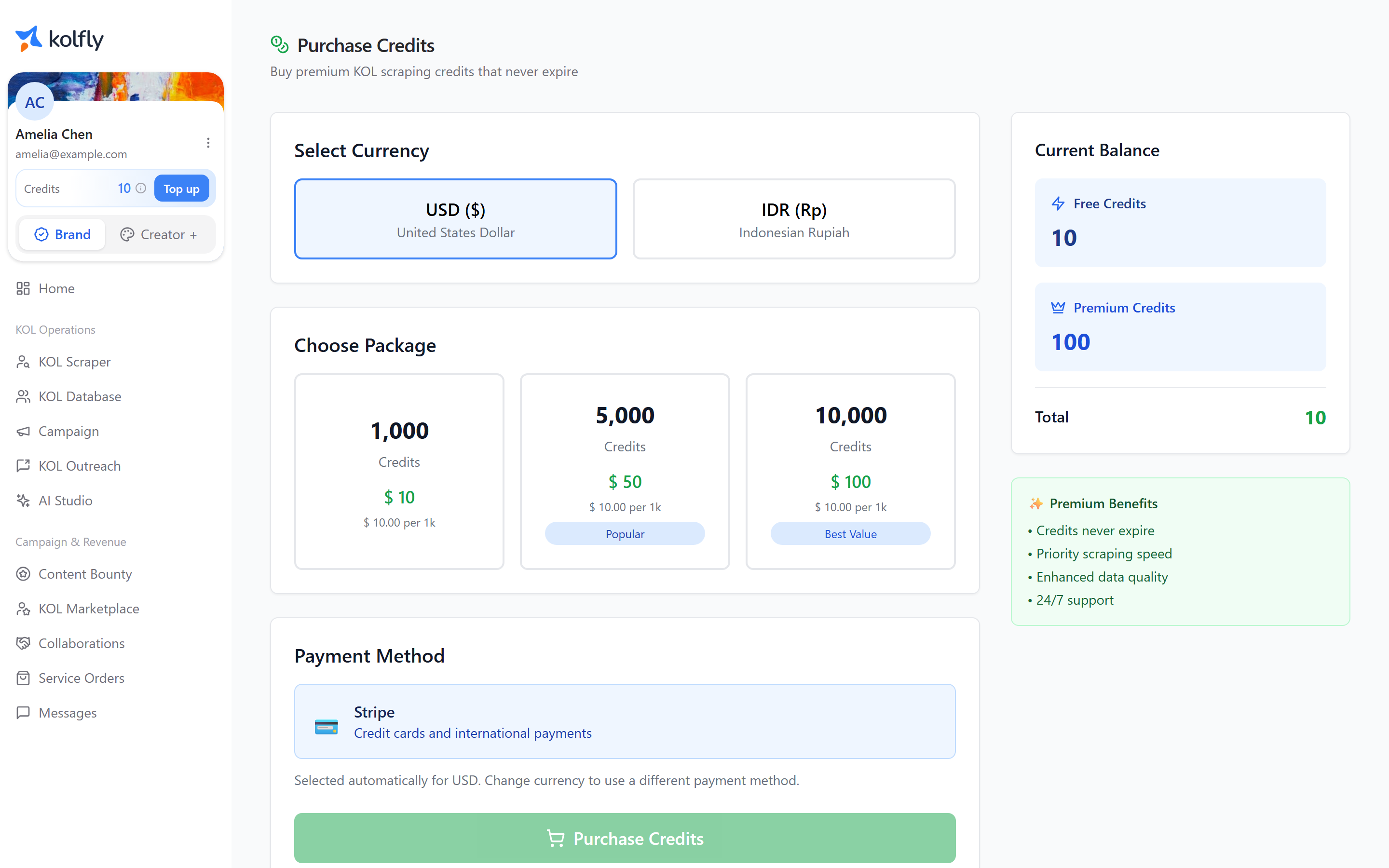
Scraping credits are what KOL Scraper spends. They are made of a free monthly quota plus any premium credits you have bought. Premium scraping credits do not expire. You buy them from the Purchase Credits page, where the available packs and prices are supplied by Kolfly and reflect current pricing.
The Scrape Credit Usage card on Usage & Billing breaks this down into total available, free quota used, premium credits held, and total used to date.
Running out
When an action would exceed your quota, a Quota Exceeded dialog appears. It names which resource ran out — AI Credits, Discovery Profiles or Image Generations — and tells you how much of your limit you have used this billing period.
From that dialog you can buy a credit pack:
| Pack | Price |
|---|---|
| 1,000 credits | $15 |
| 5,000 credits | $60 |
| 15,000 credits | $165 |
You can also select Upgrade Plan to move to a plan with a larger monthly allowance, or Dismiss to close the dialog.
In KOL Scraper, Find KOLs is disabled outright when your available scraping credits reach zero. The maximum results you can request is also reduced to what your remaining credits cover.
Topping up as a creator
Creator credits are bought with money rather than in fixed packs. On Usage & Credits, choose USD or IDR, pick a preset amount or enter your own, and Kolfly shows how many credits that amount buys before you confirm.
Minimum top-up is $10 in USD or Rp150,000 in IDR.
Keeping costs down
- Check the number on the button before you run an expensive action.
- In AI Studio, request fewer variations. Cost scales with the count.
- In KOL Scraper, set Max Results to what you actually need.
- Use Standard generation unless a task genuinely needs Deep AI.