
KOL Scraper
Find new creators by importing public profile data.
KOL Scraper searches TikTok and Instagram for creator profiles that match criteria you set, then lets you pull the results into your KOL Database.
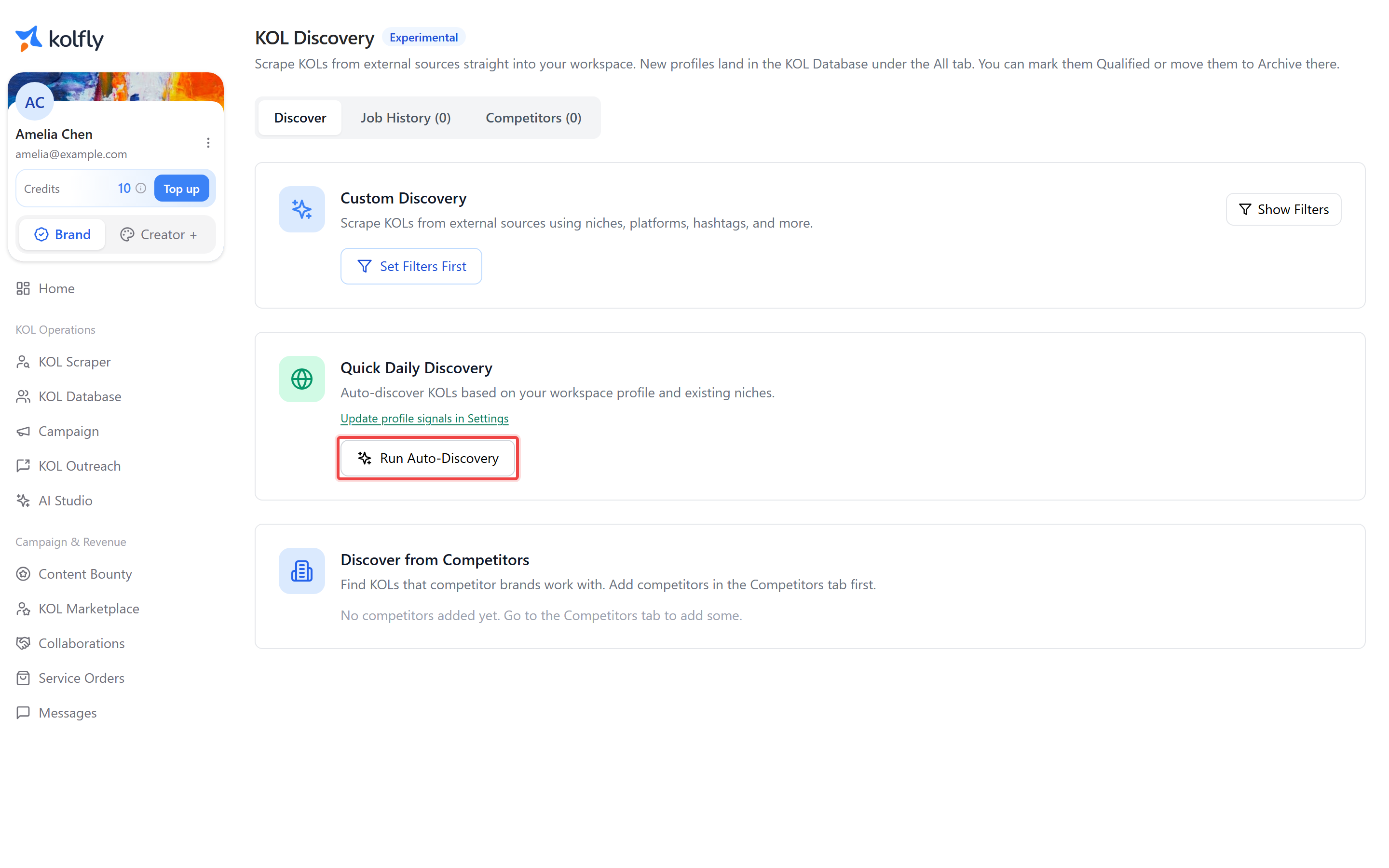
Before you start
KOL Scraper requires brand access. Without it, the page shows an "Access Required" message reading "You need to redeem an invitation code to access the KOL Scraper," with a Redeem Invitation Code button that takes you to the invitation page.
Finding it
Open KOL Scraper from the sidebar; the item is hidden if discovery is not enabled for your workspace.
How it works
KOL Scraper has two tabs. Discover runs a new search using the Custom Discovery card. Job History lists every search you have run, with its status and results.
Each search runs as a background job rather than returning results instantly. When it finishes, matching profiles that are not already in your KOL Database are added automatically, so you do not need a separate import step. The Search keywords and Hashtags fields are chip inputs: press enter after each term to add it as its own chip.
Several fields only apply to TikTok, because Instagram searches do not support the same filters: Country, Hashtags, and Last active are all TikTok-only. Platform, Search keywords, and Follower range apply to both platforms.
Running a custom discovery search
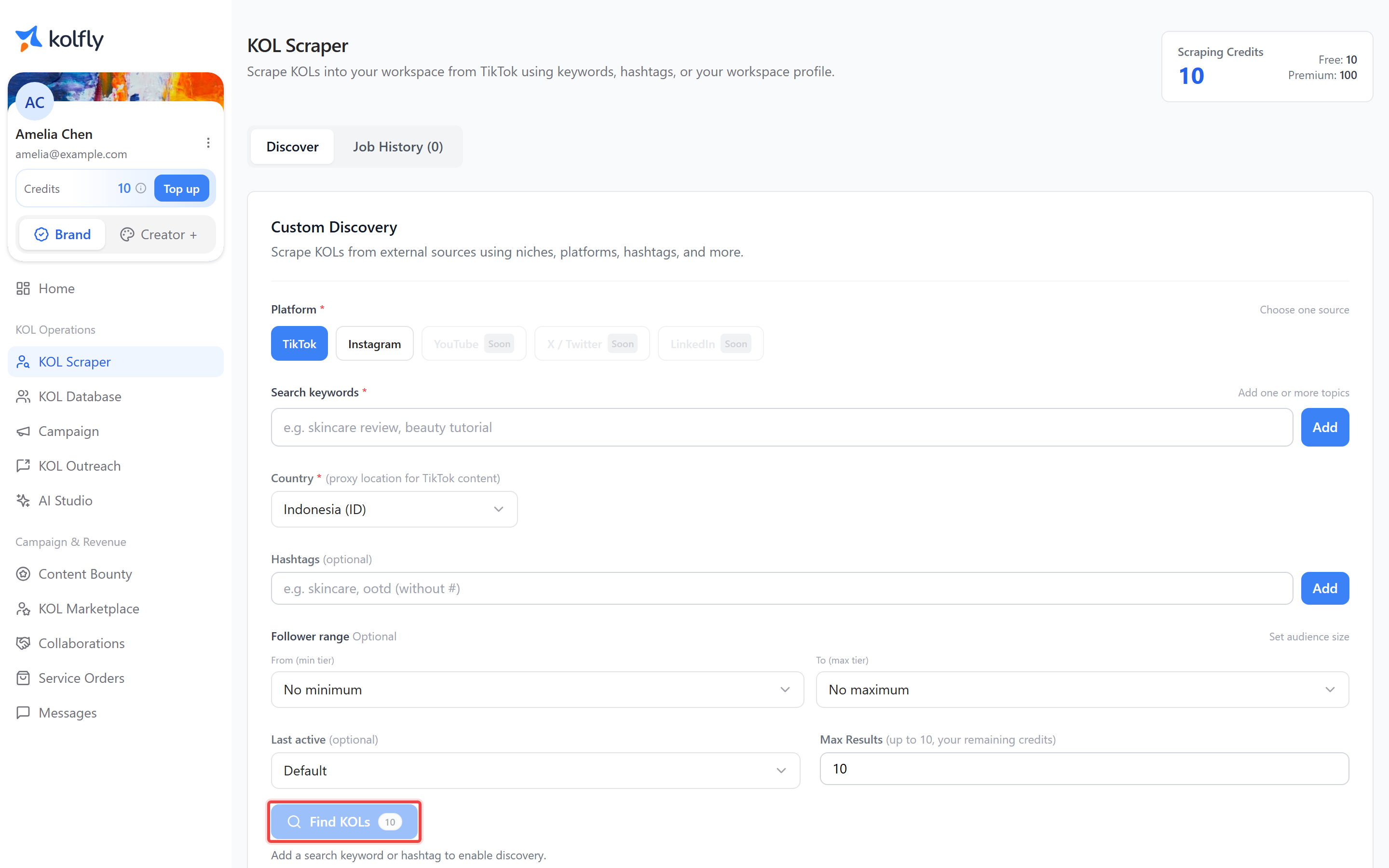
- Open the Discover tab.
- Choose a Platform. TikTok and Instagram are active; YouTube, X / Twitter, and LinkedIn are marked Soon and cannot be selected.
- Enter one or more terms in Search keywords (for example, "skincare review, beauty tutorial").
- If you selected TikTok, choose a Country from the dropdown. It defaults to Indonesia (ID).
- If you selected TikTok, optionally add terms to Hashtags.
- Optionally set a Follower range using the tier dropdowns: Nano (1K–10K), Micro (10K–100K), Mid (100K–500K), Macro (500K–1M), or Mega (1M+).
- If you selected TikTok, optionally set Last active to Default, Last 24 Hours, Last 7 Days, or Last 30 Days.
- Set Max Results.
- Click Find KOLs.
Find KOLs is disabled until you enter a keyword or hashtag, and stays disabled if you have 0 scraping credits available.
Reviewing job history
- Open the Job History tab.
- Check each card's status: PENDING (queued), RUNNING (in progress), COMPLETED, or FAILED.
- On a completed job, read the result count, shown as "N found · N new."
- Click View KOL Database to see the imported profiles.
- Use the show/hide control on a card to expand or collapse its sample profile chips, which preview a handful of the matched profiles directly on the card.
If every profile returned by a search was already in your KOL Database, the card shows "All N profile(s) were already in your KOL Database" instead of a new-count, and no new records are added.
Credit cost
Each search started with Find KOLs costs 10 credits. The page header shows your Scraping Credits balance as Free plus Premium, with a Total.
Limits
Max Results is capped at 100 for standard users and 500 for super admins. The effective cap is also reduced to your remaining scraping credits, whichever is lower.
Troubleshooting
Access Required screen: your account has not redeemed a brand invitation code. Click Redeem Invitation Code to enter one.
Find KOLs stays disabled: enter at least one search keyword or hashtag, and confirm your Scraping Credits balance is above 0.
Job status shows FAILED: the search did not complete. Start a new search from the Discover tab.
KOL Scraper missing from the sidebar: discovery is not enabled for your workspace.